 ReinTrace
Choose the camera position for the question
Ask your instructor before filming a lesson, and check the barn’s rules. Tell whoever is filming which exercise matters, so the clip is of the canter transition and not the walk break before it.
- Your position and lower leg: from the side, at the middle of a long side (E or B), roughly level with the horse.
- Straightness, circles and accuracy: from C or A, looking down the center line, the way a dressage judge sees it.
- Jumping: side-on to the fence and far enough back to see the last strides, take-off and landing.
Set up the phone
- Turn the phone sideways so horse and rider fill more of the frame.
- Rest it on a fence, a kickboard or a small tripod. A steady picture is easier to judge than a moving one.
- Keep the sun behind the camera, and level the horizon so the horse doesn’t look downhill.
- Zoom toward the horse only as far as the picture stays sharp.
Watch it while you still remember the feel
Review the clip within a day or two, while you can still connect what you see to what you felt. Watch once at normal speed for the overall picture, then go back to the moments that matter: a transition, a corner, the stride before a fence.
Look at three things in turn: your position, the timing of your aids, and how the horse answered them. Slowing the video down helps with the last two, because a lot happens in one stride.
Check your position on a still
Pause on a side-on frame. A common reference for the flatwork seat is a line from your ear through shoulder and hip to heel. If your feet sit well in front of that line, that is the chair seat many instructors talk about.
Instructors teach this differently, so treat the line as a reference. Take the still to your next lesson and ask what they see.
Compare the same exercise over time
To see progress, film the same exercise on the same horse again weeks or months later, and line the two clips up at the same point, such as take-off or the first stride of canter.
Keep each clip with the notes from that ride: the horse, the instructor’s comments, what you were working on, so you can find it next month.
Sources and further reading
Review riding videos with ReinTrace
Link a video from your phone’s library to a ride note and play it in ReinTrace, free. The original stays in your Photos library. Rider Pro adds half- and quarter-speed playback, marked moments saved as stills with a note, two videos side by side at the same point in the movement, and lines, circles and angles on a still that you can save as an image for your instructor.
Free riding journal · iPhone and Android · No account
See how ReinTrace works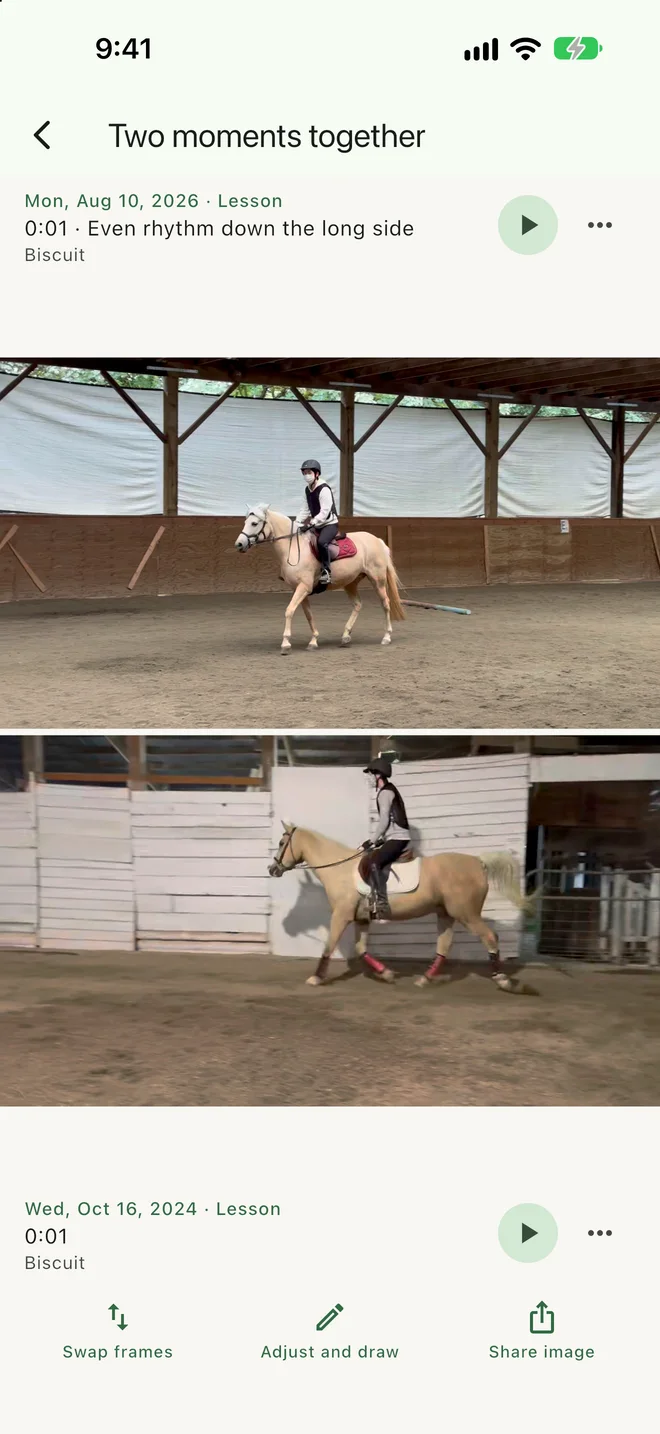
Questions
Does ReinTrace copy my riding videos?
No. A video stays in your phone’s photo library and ReinTrace links to it. Stills you save from marked moments are kept with your notes.
Can ReinTrace tell me what I am doing wrong?
No. It gives you slow motion, stills, side-by-side frames and drawing tools so you and your instructor can look closely. Angles drawn on a still are approximate.